Dev4Press No Script
Back to GD Members Directory for bbPress Forum

bbp_theme_after_member_name action to add custom field to users in directory

Published on: September 16, 2024 at 6:15 pm · By: Get Sharp, Inc.

Tags:

Author
Topic
#578354

Hi,

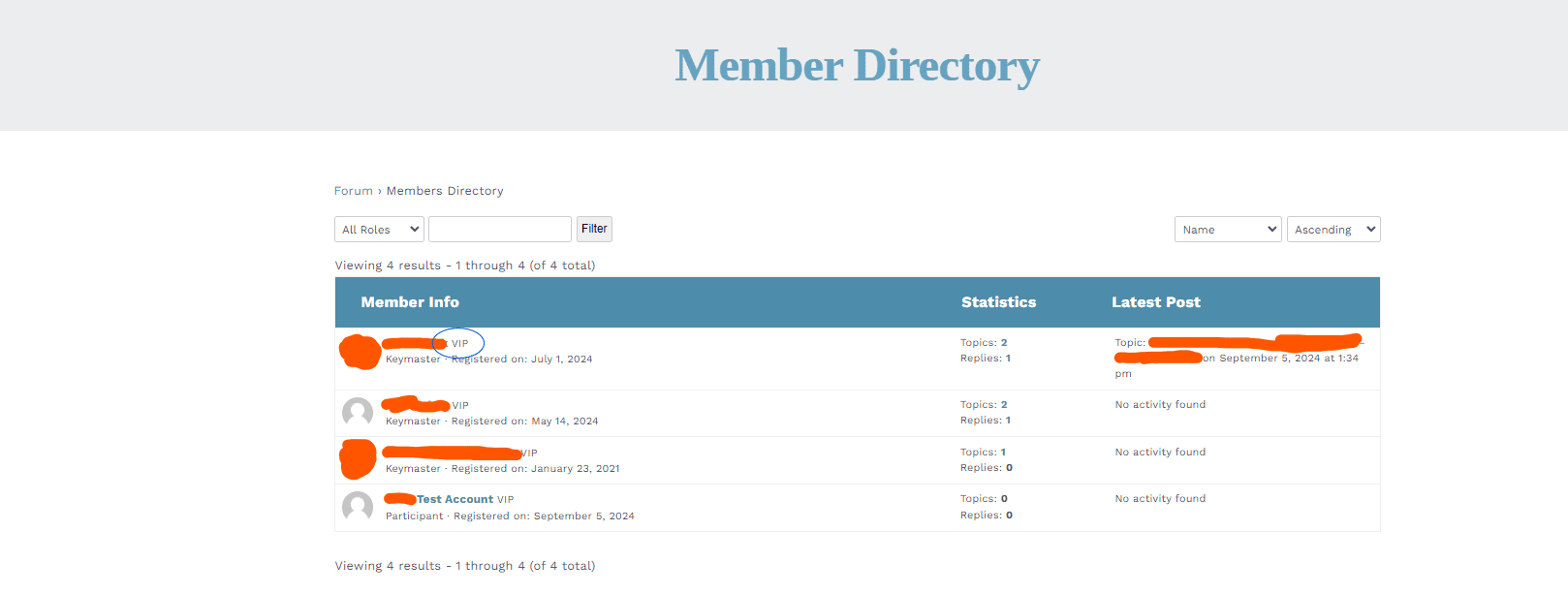
I am using a plugin to add new user profile information to Members. I would like to incorporate that custom field into the Members Directory as well. Looking at loop-single-membership.php, I see an action called bbp_theme_after_member_name, which I would like to utilize. I have successfully used it to add static information to a single user like in the image attached (circled in blue).

Where I am lost is how I can use the Member ID to grab the information from that specific member the loop is on. Each member will have their own organization name, which I want to display. Do you have any insight in how I can accomplish this?

Thanks!

Viewing 2 replies - 1 through 2 (of 2 total)
Author
Replies
  • #578356

    Hello,

    I have just released version 2.8 of the plugin, and now all the action run in the file loop-single-membership.php will pass the member ID to the handling function. Even without that, current member object can be retrieved with the this code (works inside the actions in that file too):

    <?php $member = gdmed_members_query()->member(); ?>

    Regards,
    Milan

    Dev4Press - Premium plugins for WordPress.

    1 user thanked author for this post.
  • #578357

    Hi Milan,

    I appreciate your timely update and good to know that I can pull the member without that. I have successfully implemented the feature I wanted to add.

    Here is my snippet in case anyone else wants to do this or has any suggestions for improvement:

    function custom_after_member_name($user_id) {
        //grab user info	
        $user_info = get_userdata( $user_id );	
        //grab vars
        $user_firm = $user_info->rpi_label1;
        $firm_link = $user_info->user_url;
        //check
        if($user_firm){
            //check	
            if($firm_link){
                echo '<span class="user-firm">| <a href="'. $firm_link . '" target="_blank" rel="noopener">'. $user_firm . '</a></span>';
            }
            else{echo '<span class="user-firm">| '. $user_firm . '</span>';}
        }
    }
    add_action('bbp_theme_after_member_name', 'custom_after_member_name');

    |

    Kindly,
    Erik

    1 user thanked author for this post.
Viewing 2 replies - 1 through 2 (of 2 total)
  • You must be logged in to reply to this topic.